The pre-send cold email checklist: four gates, sixteen checks
Run every campaign through four gates before it sends — domain, list, copy, send settings. Sixteen checks, each with the free tool or the number that verifies it, printable in your head.
By Norbelys Chirinos, Co-founder
Founder-reviewed ·How we research and correct articles
Most campaign post-mortems find the same thing: the failure was visible before the first send — an unauthenticated domain, a list verified last year, a tracking link in email one, a mailbox doing 200 a day. None of it is subtle. All of it is checkable in an afternoon. So here’s the checklist we actually use, structured as four gates: if a gate fails, don’t send — fix it first. Copy earns replies; gates decide whether copy gets read at all.
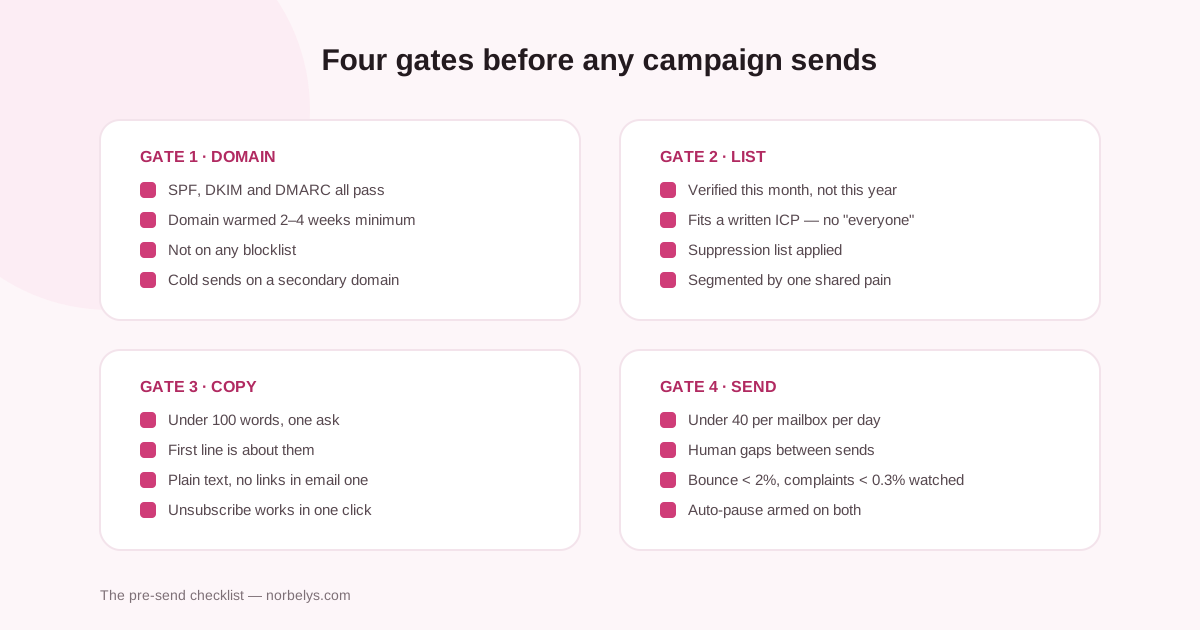
Gate 1 — the domain
- SPF, DKIM and DMARC all pass. Not “mostly” — since 2024 the majors increasingly reject unauthenticated mail outright. One pass through the domain health checker settles it; the explainers (SPF, DKIM, DMARC) fix what fails.
- The sender has enough stable history for the target volume. Use two weeks as the minimum observation period for a low-volume mailbox and four to eight for a new or higher-volume domain. The decision framework is here and the warmup calculator turns a target into a planning schedule. On Norbelys, warmup is included.
- Not on a blocklist. Thirteen DNSBLs, one free sweep — and if you’re listed, here’s the delisting playbook.
- Cold sends on a secondary domain, never on the domain your invoices and password resets depend on. Setup: secondary domains for cold email.
Gate 2 — the list
- Verified this month, not this year. Contact data changes continuously; over 2% bounces and Gmail starts rejecting. Free: clean the file. On Norbelys, imports verify automatically.
- Every contact fits a written ICP. “Could plausibly buy” is not a segment — the list-building pipeline is the difference between outreach and littering.
- Suppression applied. Unsubscribes, bounces and past “no”s are out — enforced at send time, not by memory.
- Segmented by one shared pain. A Woodpecker platform benchmark associates smaller, tighter lists with higher reply rates. If one message fits the whole list, the list is too big.
Gate 3 — the copy
- Under 100 words, one ask. The anatomy and templates if you’re starting from a blank page.
- The first line is about them — it renders in the preview pane before any open. Rewrites here.
- Plain text, no links, no images in email one. Links are the heaviest spam signal a no-history domain can carry. The tracking pixel counts too — and since most opens are robots anyway, you’re paying deliverability for a fictional metric.
- Unsubscribe works, in one click. Required by Gmail/Yahoo above 5,000/day, wise at any volume, and the law is less demanding than you think — meet the higher bar anyway.
Gate 4 — the send settings
- Under ~40 per mailbox per day. More volume = more mailboxes and domains, never more per mailbox — the per-mailbox math.
- Human gaps between sends. Sixty emails at 9:00:00 sharp is a signature, not a schedule. Norbelys paces with per-sender budgets and jitter automatically.
- Both thresholds on a dashboard you’ll see: bounce under 2%, complaints under 0.3% — the complaint-rate math explains why 1-in-300 annoyed readers is the whole ballgame.
- Auto-pause armed. When a threshold trips mid-campaign, the campaign should stop itself — at 2am, without you. (Ours does, on both.)
The habit that makes it stick
Run the gates in order — domain, list, copy, send — because failures upstream make downstream checks meaningless: perfect copy from a blocklisted domain is a tree falling in an empty forest. First campaign on a new domain? Do gate 1 a full month before you need it; everything else fits in a day.
And after it sends: judge the campaign on replies, not opens, call A/B winners with real statistics, and triage every reply like the asset it is. The checklist gets you delivered; what happens next is the actual job.